
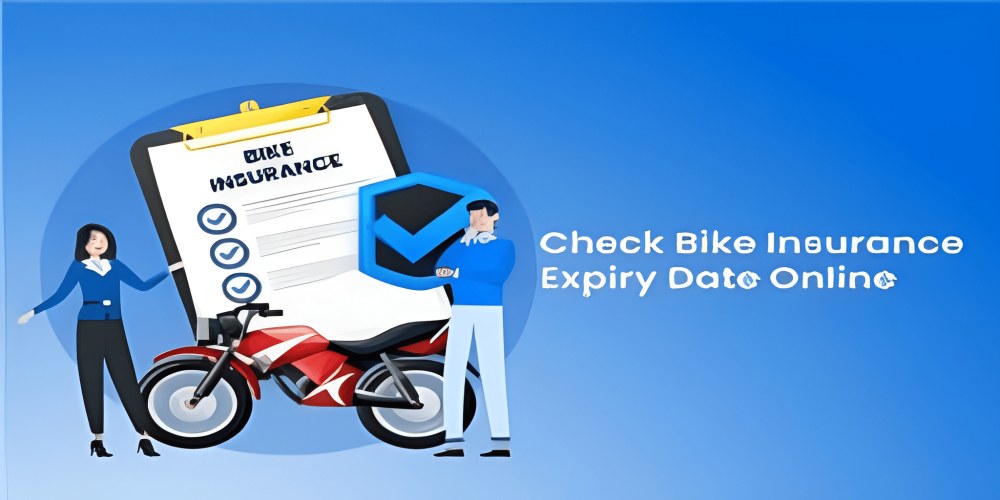
In India, riding a bike without a valid insurance policy is not only risky but also a legal offense. As per the Motor Vehicles Act, 1988, every bike owner must have at least third-party insurance to ride legally on Indian roads. However, many people either forget to renew their insurance or are unsure whether their vehicle is currently insured. In such cases, knowing how to check the insurance status of bike becomes crucial.
Whether you are buying a second-hand bike or want to ensure that your existing two-wheeler is covered, this detailed guide will help you understand all the methods available to check bike insurance status online and offline.
Why Is It Important to Check Your Bike Insurance Status?
Before we dive into the methods, let’s understand why it is important to check the insurance status of your two-wheeler:
- Legal Compliance: Riding an uninsured bike can lead to heavy fines or penalties. You may also face imprisonment under certain circumstances.
- Peace of Mind: Knowing that your bike is insured helps you ride stress-free, especially in case of an accident.
- Renewal Timely: If your insurance is about to expire, checking the status can remind you to renew it on time.
- Avoid Claim Rejection: An expired insurance policy may lead to claim denial in the event of damage or loss.
- During Second-hand Purchase: It’s critical to verify insurance before buying a used bike to ensure no liabilities are passed on to you.
What Information Do You Need to Check Bike Insurance Status?
To check your bike's insurance details, you generally need one of the following:
- Bike Registration Number
- Engine Number (optional)
- Chassis Number (optional)
- Policy Number (if known)
Most platforms will only ask for the registration number, which is easily found on the RC (Registration Certificate) or number plate.
1. How to Check Bike Insurance Status Online via VAHAN Portal
The VAHAN portal is a government-run online vehicle information service provided by the Ministry of Road Transport and Highways. It is one of the most reliable ways to check your bike’s insurance status.
Steps:
- Visit the official VAHAN website at vahan.parivahan.gov.in
- Click on “Know Your Vehicle Details” on the homepage.
- Enter your bike registration number.
- Enter the captcha code shown on screen.
- Click on “Search Vehicle”.
You will be redirected to a page showing your bike’s insurance details including:
- Insurance Company Name
- Policy Validity Date
- Insurance Type (Third-party or Comprehensive)
2. Using mParivahan Mobile App
If you prefer checking insurance status via mobile, the mParivahan app is a government-approved mobile application offering vehicle-related information.
Steps:
- Download the app from Google Play Store or Apple App Store.
- Register using your mobile number and verify using OTP.
- Go to the “RC Dashboard”.
- Enter your bike registration number.
- The app will fetch and display insurance details including expiry date.
3. Through the Insurance Provider’s Website
If you know your insurer (like HDFC ERGO, ICICI Lombard, Bajaj Allianz, etc.), you can directly visit their website to check your bike's insurance status.
General Steps:
- Visit the insurer’s website.
- Go to the “Renewal” or “Policy Status” section.
- Enter your bike registration number or policy number.
- The system will show policy status and renewal options.
4. Via the Insurance Information Bureau (IIB)
The Insurance Regulatory and Development Authority of India (IRDAI) has set up an Insurance Information Bureau (IIB) to help people access their insurance records.
Steps:
- Visit iib.gov.in
- Go to the “Quick Links” section and click on “V-Seva”.
- Fill in the requested details including your name, email ID, mobile number, vehicle registration number, etc.
- Submit the form.
Within a few days, you will receive your bike insurance details via email if available in the IIB database.
5. Contacting Your Insurance Agent or Broker
If you purchased your policy through an agent or broker, you can simply call them and ask for the policy status. They usually have access to the insurance database and can confirm the following:
- Insurance company name
- Policy expiry date
- Coverage type and add-ons
6. Sending an Email or Calling the Insurance Company
Almost every insurance company has a customer support line and email ID where you can raise queries. If you are unsure about your policy status or have misplaced your documents, contact the insurer directly with your bike registration number or policy number.
7. Through SMS (Only for Some Insurers)
Some insurance providers allow users to check insurance policy status through SMS by sending the registration number or policy number to a specific code. This service varies by company and may not be available with all insurers.
8. Using DigiLocker App
DigiLocker is another government platform that allows you to store and access important documents including insurance certificates.
Steps:
- Download and install DigiLocker app.
- Register using Aadhaar and mobile number.
- Link your bike RC and insurance documents from VAHAN or insurance provider.
- View your bike insurance certificate digitally.
This method also works offline once the document is synced.
9. When Buying a Used Bike – Double Check the Policy Transfer
If you are purchasing a second-hand bike, ensure that the insurance policy is transferred in your name. Otherwise, the existing insurance becomes invalid for the new owner. Here's what you can do:
- Ask the seller to provide a copy of the insurance policy.
- Check status online via VAHAN or IIB.
- Get a no-objection certificate from the seller for name transfer.
- Apply for ownership and insurance name change together.
Key Terms to Understand While Checking Insurance
- TP Insurance: Third-party insurance, which is mandatory by law.
- Comprehensive Insurance: Includes TP + own damage cover.
- IDV (Insured Declared Value): Current market value of the bike.
- Policy Number: Unique number identifying your insurance contract.
- Endorsement: Any change made to an existing policy.
What to Do If Your Bike Insurance Has Expired?
If you find out that your bike insurance has expired:
- Do not ride the vehicle until it's renewed.
- Visit your insurance provider’s website and try to renew it.
- Some companies may ask for vehicle inspection before renewing.
- Alternatively, switch to a new insurer online.
- You may face a “break-in period” if renewal is delayed too long.
Documents You May Need While Checking or Renewing Bike Insurance
- Bike Registration Certificate (RC)
- Previous Insurance Policy (if available)
- Identity Proof (Aadhaar, PAN, etc.)
- Address Proof
- Passport-size Photograph (for offline process)
Benefits of Keeping Bike Insurance Active
- Protection against third-party liabilities
- Coverage for theft, fire, and natural calamities
- Personal accident cover for rider
- Cashless garage access in case of damage
- Legal compliance and peace of mind
Common Mistakes to Avoid
- Not renewing the policy on time.
- Assuming TP cover is enough for all accidents.
- Not transferring the insurance name while buying a used bike.
- Ignoring insurance status for months or years.
- Not comparing policies while renewing.
How Often Should You Check Bike Insurance Status?
Ideally, you should check your insurance:
- Once every 6 months
- Before planning a long road trip
- When buying or selling the vehicle
- Just before expiry for timely renewal
Tips for Maintaining Active Bike Insurance
- Set reminders on your phone or calendar.
- Opt for long-term two or three-year policies.
- Link policy to your email/mobile for alerts.
- Keep soft copies saved on DigiLocker or Google Drive.
- Use auto-renewal options if available.
FAQs: Check Insurance Status of Bike
Q1. Can I check my bike insurance status with just the registration number?
Yes, you can check your bike insurance status using just the registration number through platforms like the VAHAN portal, mParivahan app, or IIB.
Q2. What is the most accurate method to check bike insurance status?
The VAHAN portal and insurance provider’s official website are considered the most accurate and real-time sources.
Q3. How can I check the expiry date of my two-wheeler insurance?
Use the VAHAN site or mParivahan app. Enter your registration number, and you will see the policy validity date displayed.
Q4. Can I check expired bike insurance policies online?
Yes, if the expiry is recent, platforms like VAHAN or your insurer’s website will still show the last policy details. However, very old expired policies might not be available online.
Q5. Do I need to log in to the VAHAN site to check insurance status?
No, you don’t need to log in. You can directly search vehicle details using the registration number on the homepage.
Q6. What should I do if I can't find my bike's insurance details online?
You can try alternative sources like the IIB site, contact your insurance provider directly, or check your email/SMS inbox for policy confirmation messages.
Q7. Is it mandatory to keep a physical copy of the bike insurance?
As per recent government guidelines, digital documents stored in DigiLocker or mParivahan are valid proof, but carrying a physical copy is recommended as a backup.
Q8. Can I renew bike insurance after it expires?
Yes, most insurance providers offer renewal even after expiry, though some may ask for a bike inspection or charge a higher premium.
Final Thoughts
Understanding how to check the insurance status of your bike is essential for every two-wheeler owner. It not only ensures that you are legally compliant but also keeps you financially protected in case of accidents or damage. With digital tools like the VAHAN portal, mParivahan, DigiLocker, and insurance websites, checking your insurance status has become easier than ever.














Leave A Comment
0 Comment